Budget Your Dream Wedding Effortlessly
Easily track expenses, manage vendors, and collaborate with your partner to stay on top of your big day. Plan smarter, save more, and enjoy a stress-free countdown to 'I do!'







★★★★★ 5.0 on the App Store — Loved by couples planning together

Effortless Wedding Planning
From budgeting to vendor management, our app simplifies every step of your wedding journey.

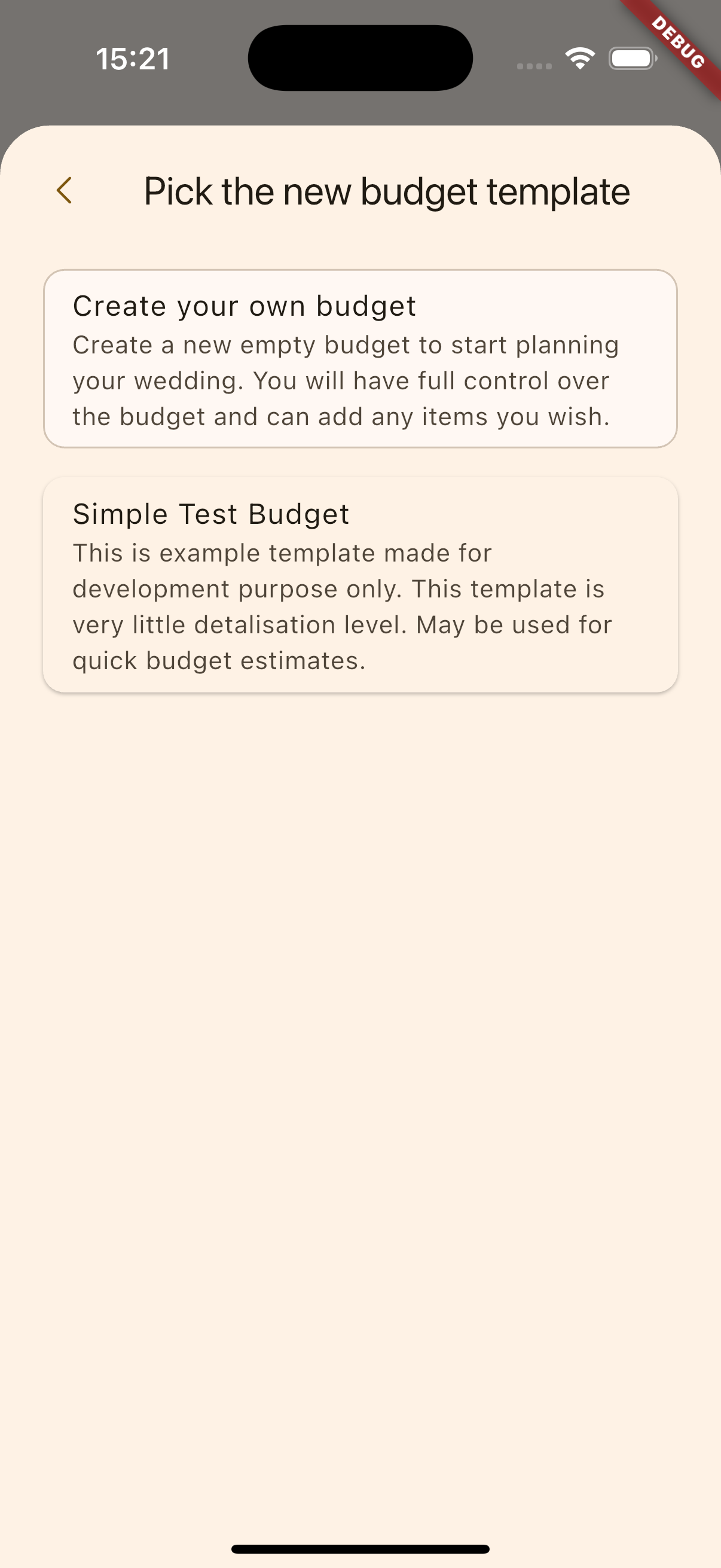
Budget Templates
Start budgeting in minutes with our ready-to-use templates.

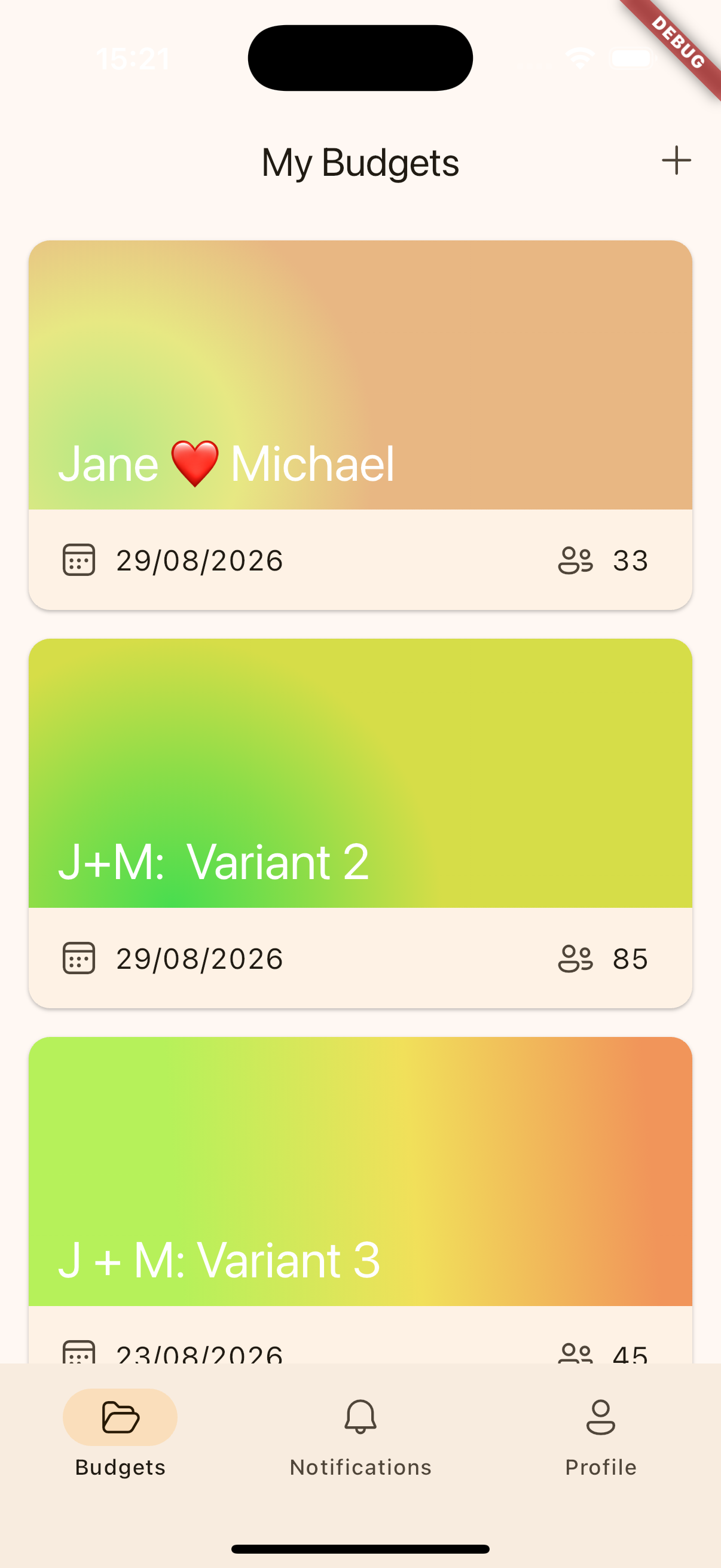
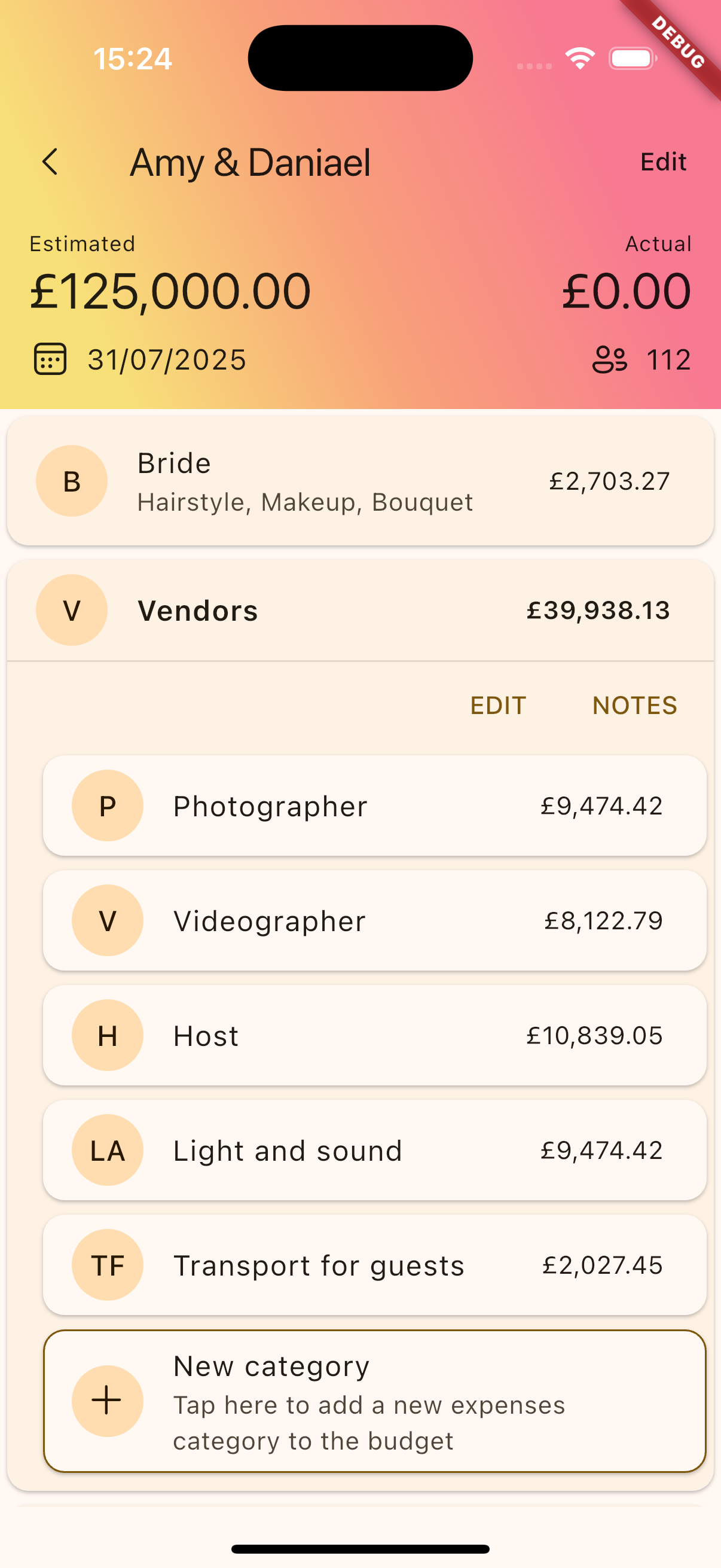
Budget Tracking
Easily manage and track your wedding expenses in real time.

Collaborative Planning
Plan with your partner or wedding party seamlessly.

Expense Analysis
Get insightful reports on where your money is going.
How it works
Explore our comprehensive step-by-step guide to understand how our process ensures seamless and effective results
Install the App
Download and install the app from the App Store or Google Play to get started on your wedding planning journey.

Create New Budget
Set up your customized wedding budget by entering your total budget number of guests and customizing categories to fit your needs..

Start to Collaborate
Invite your partner or wedding planner to join and manage your budget together, making planning seamless.

Track Your Wedding Payments
Easily log deposits, payments, and expenses, keeping track of your financial progress every step of the way.

Frequently Asked Questions
Yes, the app is free to download and includes basic features. You can upgrade to premium for additional features and customization options.
Simply invite your partner by sharing budget with them an invitation through the app. Both of you can then view and manage the budget together in real time.
Yes! Wedding Budget works fully offline. Edit your budget without internet — everything syncs automatically when you reconnect.
Yes! Wedding Budget works fully offline. Edit your budget without internet — everything syncs automatically when you reconnect.
Absolutely! You can easily create, edit, or delete categories to tailor your budget to your specific wedding needs.
Download and start Budgeting Today!
Start budgeting in minutes with our ready-to-use templates. Easily manage and track your wedding expenses in real time.